Dimensions that connect.
Use named parameters and linked dimensions to make deliberate changes across a feature history.
 ShapeForge.
+ CAD FOR THE WAY YOU THINK
A focused workspace for mechanical design. Build with sketches, precise dimensions and a design assistant—then keep refining the real model.
01 / BUILT FOR REAL PARTS
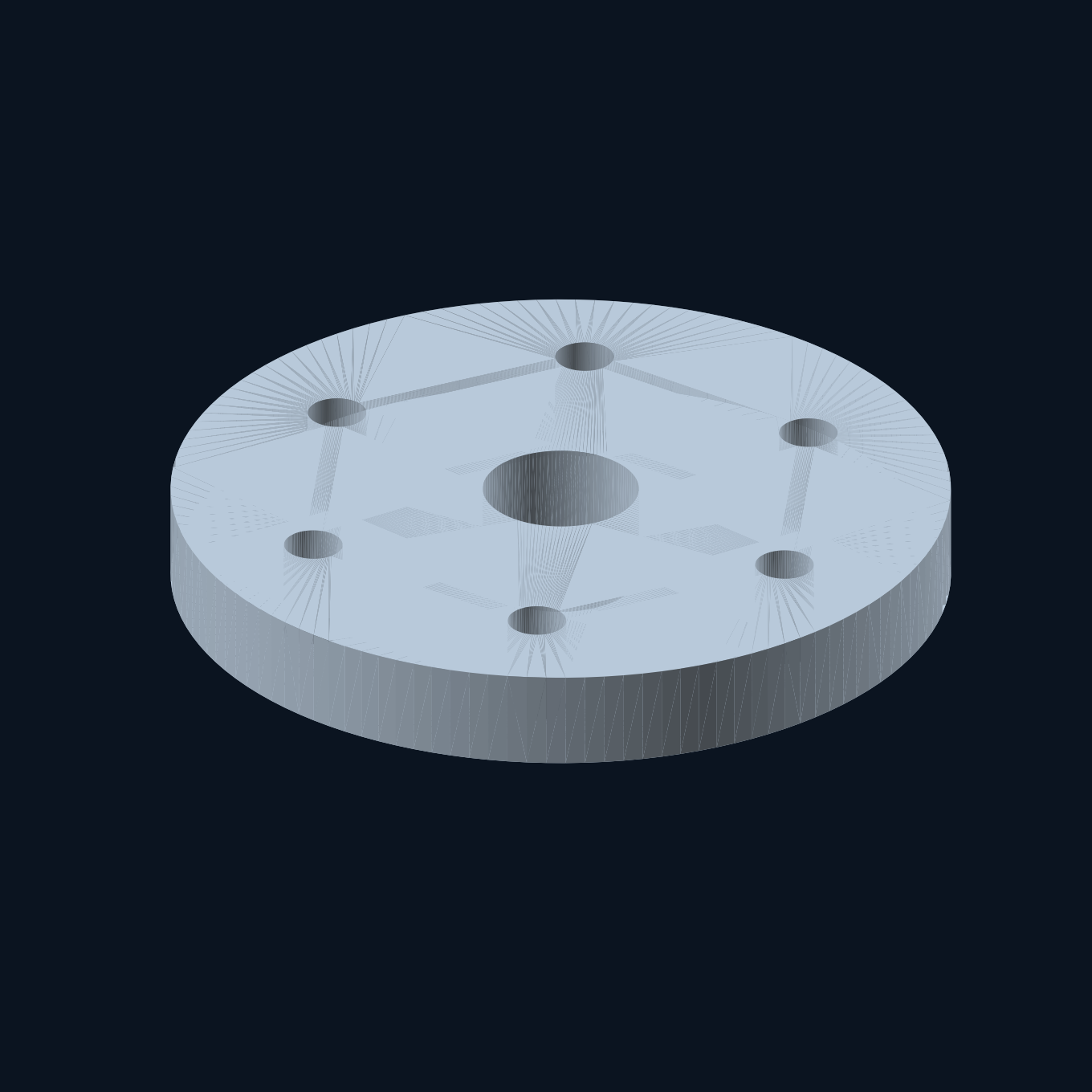
Start with a profile, add features and link the dimensions that matter. A pulley, a mounting flange or a stepped shaft—editable beyond the first result.
ROTATIONAL MODELING
Revolve a radial profile, drill a seed hole and repeat it around an axis. Change the source dimensions and regenerate the dependent features.
Images rendered from ShapeForge’s example models. This website is a product preview; modeling runs in the Windows app.
Use named parameters and linked dimensions to make deliberate changes across a feature history.
Edit an earlier feature, regenerate and inspect the result. Undo, redo and local recovery support the work in between.
Save editable ShapeForge projects. Export meshes with STL, or use membership workflows for STEP and technical drawings.
02 / A MORE CONSIDERED WORKFLOW
Use the free command assistant for supported requests. Optional metered AI is being prepared for more complex instructions, with explicit approval before sending design context.
Understand AI pricingStart from a profile, an example or a supported instruction. Use mechanical dimensions, not guesswork.
Inspect proposed changes before applying them. The assistant works through structured modeling operations.
Edit parameters, check geometry and save your project. A failed edit keeps the last valid model available.
Local by default. Basic CAD and the deterministic assistant work on your computer. Optional cloud AI sends approved design context to a provider; it is never silently switched on.
03 / CLEAR ABOUT THE COST
Start with the basics. Add advanced workflows when you need them. AI usage is separate, prepaid and never unlimited.
BASIC CAD
The foundations for your next mechanical part.
SHAPEFORGE MEMBERSHIP
PLANNED OFFERAdvanced CAD workflows, with optional metered AI.
US$20 in credits covers US$10 of provider token usage. Membership includes no AI credit. No automatic top-ups. Confirmed token usage can cost credits even if you cancel a plan or geometry fails.
Pricing describes the planned offer. Checkout and public account creation are not available in this preview. Tax treatment and final customer terms are pending.
04 / THE NEXT STEP
ShapeForge is in private development. We’re testing the complete path from installation to a saved, editable part before opening public downloads.
05 / BEFORE YOU START
The Windows app runs a local CAD service and opens its interface in your browser. A 127.0.0.1 address points to your own computer. This website introduces the product; it does not run the CAD engine.
Yes. Basic CAD and the deterministic local command assistant work without paid AI. Advanced membership workflows and optional prepaid AI are separate from the basic trial.
Local modeling and recovery run on your computer. If you explicitly approve a metered cloud-AI request, its instruction and approved design context are sent to the provider through the member service. This preview website has no account form, analytics or automatic design upload.
Save a ShapeForge project to retain editable feature history. STL is available in the basic trial. Membership workflows support STEP solid geometry, 3MF meshes and technical drawing exports. These formats have different purposes and do not preserve every CAD system’s native history.
ShapeForge focuses on mechanical parts and smaller assembly workflows. Complex design reliability, independent customer testing, production service operations and distribution review remain release work. Inspect your geometry and dimensions before manufacturing.
In the app, open Workflow guide → Installation, trial and getting help. Download private support details and review the file before sharing it. Include the steps, expected result and actual result. A public support contact will be provided before launch; do not send passwords, API keys or private projects unless you intend to share them.